Tampilkan postingan dengan label Adobe illustrator. Tampilkan semua postingan
0

Working With the Mesh Tool

TIPS!Prior Learning Adobe Illustrator, you should really - really have advanced basic Photoshop and Coreldraw

Which is not often used but important in the manufacture of strokes in Adobe Illustrator vector is the Mesh tool. Usefulness is to produce a gradation in the vector image.

The following will be on show you how to use mesh tool:

1. First create a shape path (according to form the desired free).

2. After the object (path) so, then select the mesh tool, then click the mesh tool several times on the object so as to produce the dots and help lines.
 
0

Leaf Illustrations Style Mesh Tool

TIPS!Prior Learning Adobe Illustrator, you should really - really have advanced basic Photoshop and Coreldraw

In the previous tutorial we have learned how to use mesh tool now it is time we learn to apply the technique of mesh tool in making a picture in Adobe Illustrator so that leaves leaf color looks natural and attractive.

Step - Steps:
1. We must create an object using the Pen Tool, then color


0

Photo Strip

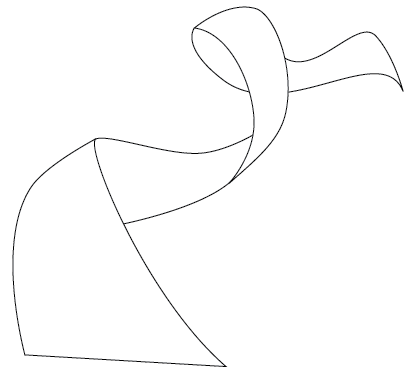
1. Create a Strip (Vector Shapes)

First, create a strip with the Pen tool (either in Photoshop or Illustrator). We will use these shapes as a guideline and for masking purposes.

0

Efek Teks 3 D illustrator

TIPS!!!
Sebelum Mempelajari Adobe ILLUSTRATOR sebaiknya anda betul - betul sudah mahir dasar dasar Photoshop dan Coreldraw
Bagaimana cara membuat efek 3 Dimensi pada adobe illustrator? silahkan anda pelajari tutorial ini...

1. Gunakan Type tool, Tulis dalam lembar kerja "3D Tutorial ".
Kemudian ke Menu Utama -- Effect >Warp > Arc
Gunakan pengaturan ini:
style: Art --- pilih horizontal
Bend:10
Dostortion: ----horizontal:-30  ---- vertical: 0
lalu clik OK

2. Kemudian Effect > 3D > Extrude & Bevel
Set Extrude Deph: 20 pt, dan jangan lupa centang Preview
0

Membuat Photo Vector

Seteleh mengenal tool-tool dalam adobe illustrator, selanjutnya kita masuk ke project pembuatan vector image. Langkah2nya adalah sbb:

1. Buka foto / file image dengan adobe illustrator : 


2. Duplicate layer foto menjadi 2

0

Dasar - Dasar Adobe illustrator (Final Mix)

Sebelum melangkah lebih jauh ada baiknya berkenalan dengan dasar-sasar vector dan Adobe illustrator, apa itu vector? berikut penjelasannya:
  • vector: adalah sekumpulan titik dan garis yang saling terhubung yang merupakan perpaduan dari warna2 sehingga membentuk sebuah objek.
    intinya: gambar vector merupakan kumpulan curva-curva warna yang disusun sedemikian rupa, sehingga menghasilkan sebuah bentuk objek.
Software yang biasa digunakan (berbasic vector) untuk membuat vector image:

Berlangganan Artikel

Subscribe to My Feed


Subscribe by email. Enter your email address below:


Add to Google
Add to Yahoo

 
Copyright © Pacitan InDesign
Design by dhim_out